
> cd ./projects/terminal-dotnet
A keyboard-driven workspace for .NET
terminal-dotnet
A keyboard-driven terminal workspace for .NET solutions. Browse the source, run tests and jump to failures, read compiler errors, review git changes, collect TODOs and leave notes, all from one screen beside your editor.
Showreel
Motion · 00:30What it does
- [01]
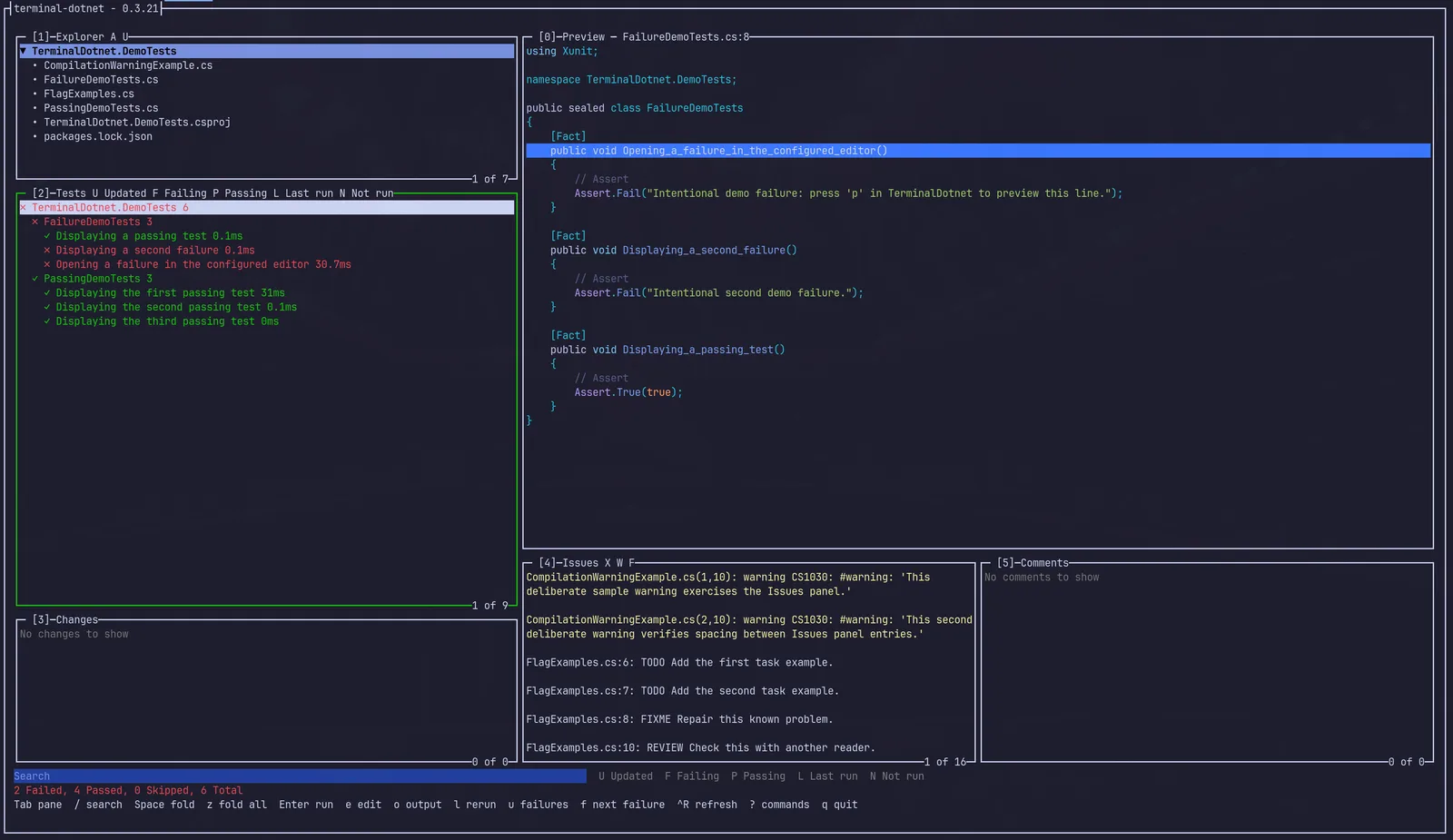
Six panels on one screen
The Explorer, Tests and Changes are stacked on the left, with the Preview beside them over the Issues and Comments. Every panel is on show at once, and the list you are working in stretches to show more of its rows.
- [02]
Test explorer
Discovers every test in the solution. Run a test, a class or a whole project; rerun the last set or only the failures; step between failures; and read the failing line in the preview or open it in your editor.
- [03]
Compiler issues
Collects errors and warnings from dotnet build, filters them by severity, and opens or copies each one.
- [04]
Git changes
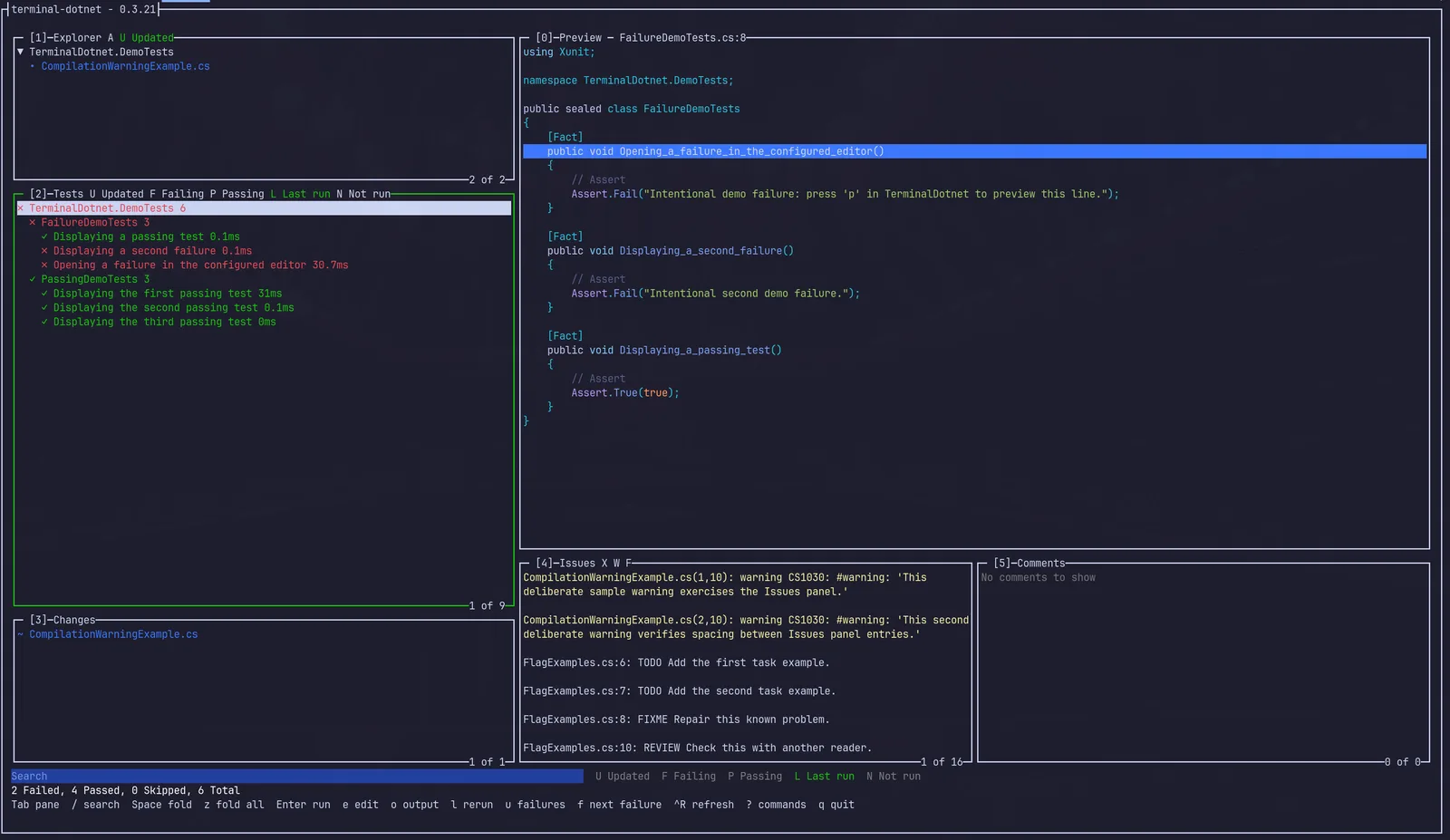
Lists added, modified and deleted files, previews each one's diff or the file as it now stands, and restores deleted files.
- [05]
Change-aware filters
One key narrows the Explorer to the files git reports as changed, and the Tests panel to the suites whose source changed, so Enter on the project runs only those.
- [06]
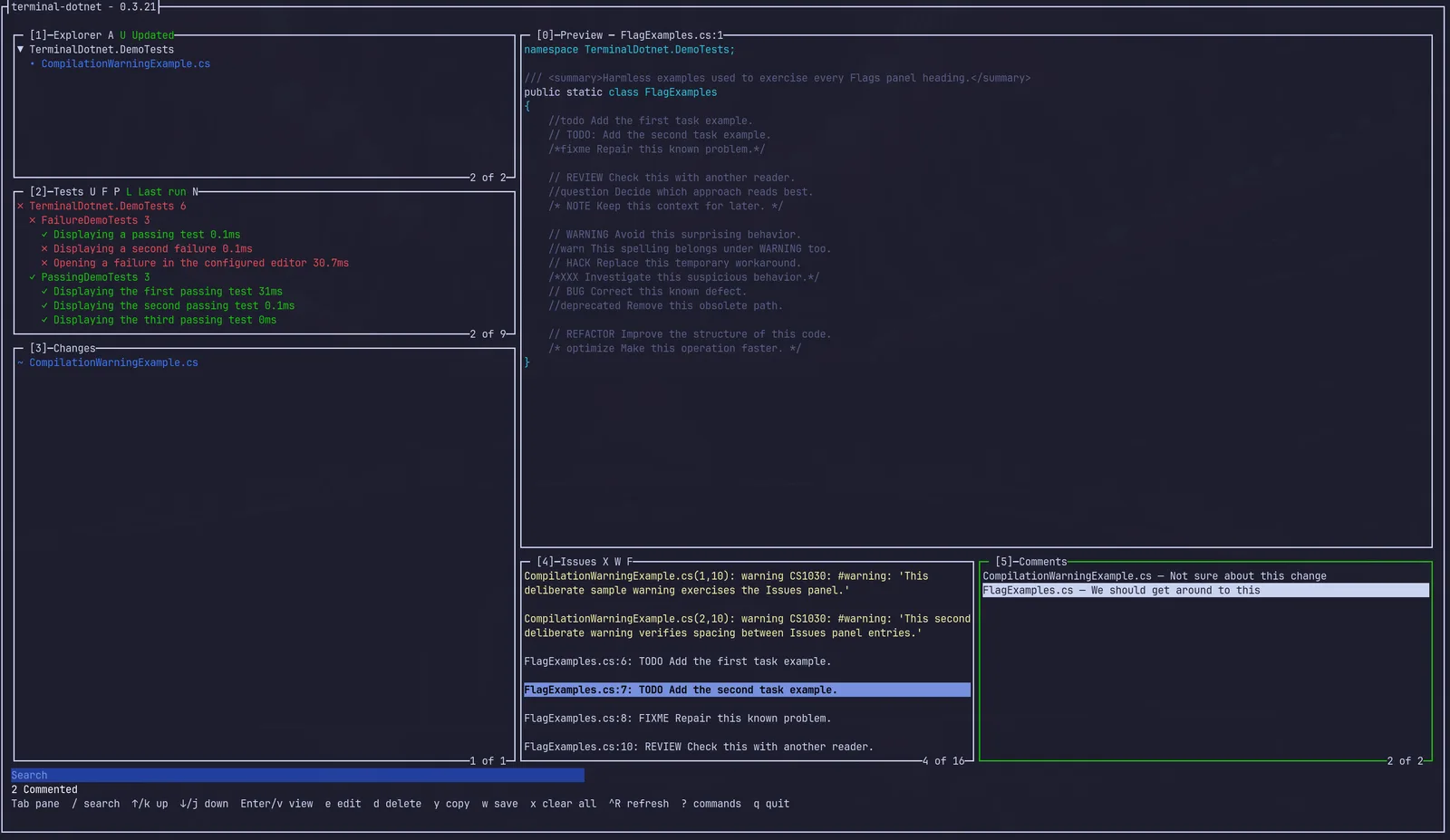
Flags
Gathers TODO, FIXME, HACK and similar markers from every tracked file and lists them among the compiler's issues.
- [07]
Comments
Leave a note against the file in the preview, whether it shows the source, a diff or a flag, then copy every note to the clipboard or save them to a Markdown file. Handy for handing review feedback to a teammate or a coding agent.
- [08]
Live preview with syntax highlighting
The Preview follows the selection of the last list you were in: a file, a test's source, an issue's line or a change's diff. Step through the list from inside it and hand off to your editor at the same line.
- [09]
Stays current
Panels reload when something outside the app edits the working tree, whether an agent, another terminal or a git checkout. Ctrl+R refreshes every panel and rebuilds the project from anywhere, and a stale panel rebuilds when you open it.
- [10]
Discoverable
The bottom line lists the keys that apply to the focused panel and its selection, and ? shows every command.
Screenshots
Install
Published to nuget.org as a .NET tool. Runs on Linux, macOS and Windows, and needs the .NET 10 SDK or later and git on your PATH.
Per-repository installs, upgrades and building from source →$ dotnet tool install --global terminal-dotnet $ cd /path/to/your/solution $ terminal-dotnet
$ cd /path/to/your/solution
$ dnx terminal-dotnet
Built with
C# · .NET 10 · Terminal.Gui